Open-source accessibility tooling

CWAC Admin Platform

A web-based control centre for the Centralised Web Accessibility Checker (CWAC) — run automated WCAG audits across whole site inventories, track compliance over time, and export results for reporting.

Engine
CWAC + axe-core
Stack
Python · Flask
Licence
BSD-3-Clause
Status
Live & scanning

What is it?

CWAC Admin is a management platform around the CWAC accessibility scanning engine developed by the New Zealand Department of Internal Affairs. CWAC drives a real Chrome browser through your pages and runs axe-core and other audits against every page it visits.

The admin platform turns that engine into a usable product: a dashboard for your whole site inventory, configurable scan profiles, scheduling, compliance scoring, trend charts, and multi-user access control — all behind a secure login.

It was built for running accessibility programmes across many sites at once — the kind of centralised, repeatable checking that government and large organisations need to meet WCAG obligations.

A pluggable audit pipeline means CWAC's built-in checks (axe-core, language complexity, focus indicators and more) can be extended with custom plugins — including an SEO/AEO metadata audit shipped with this deployment that scores every page on search and answer-engine readiness.

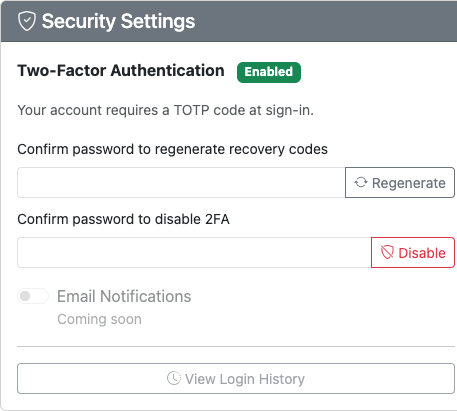
Accounts are protected by TOTP two-factor authentication with recovery codes, and both the app and this site carry an opt-in cookie consent banner and privacy policy.

Features

  • Automated WCAG audits

    axe-core running inside real headless Chrome — catches issues that static analysis misses, across every page a scan config reaches.

  • Pluggable audit pipeline

    CWAC's audit plugins (language complexity, focus indicators, heading structure and more) plus custom extensions.

  • SEO/AEO metadata audit

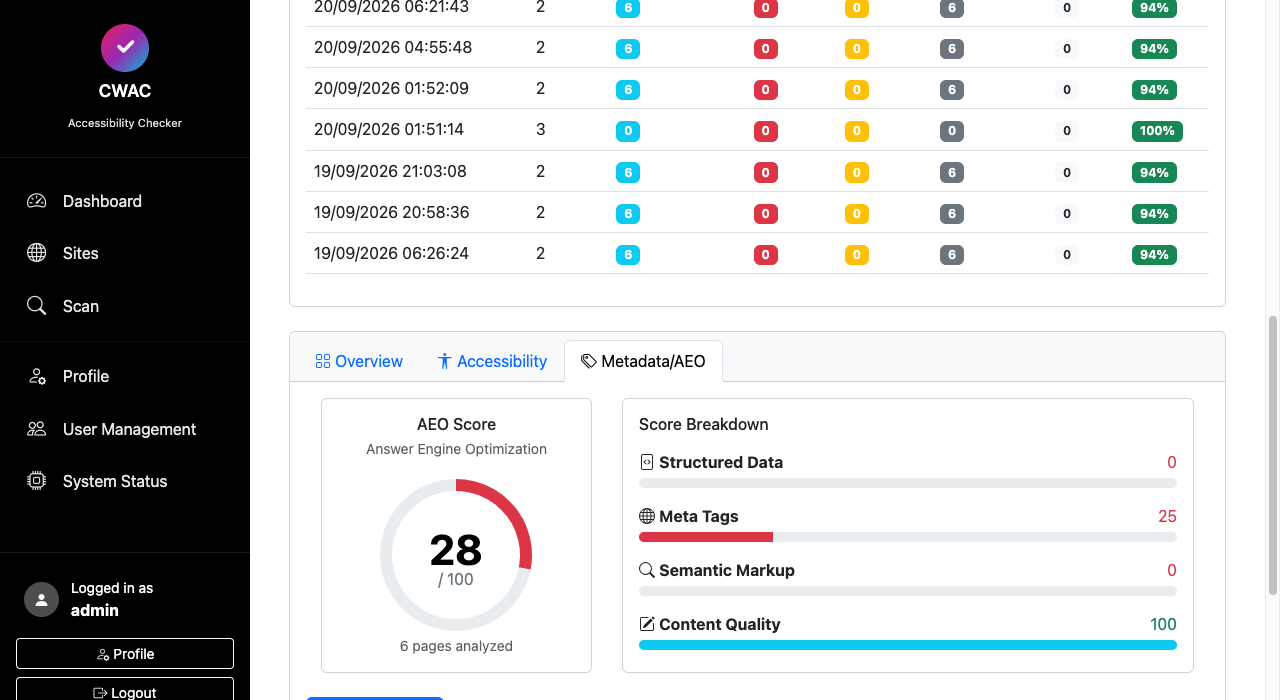
    A custom plugin scoring every scanned page on 12 search & answer-engine checks — title, meta description, canonical, headings, alt coverage, JSON-LD, Open Graph, Twitter Cards, robots.txt, sitemap.xml, language tag and link counts — with per-page scores and failed-check detail in scan reports, plus a per-site Metadata/AEO tab tracking an aggregate answer-engine score.

  • Site inventory & groups

    Register and organise the sites you manage, group them by organisation or programme, and scan them individually or in bulk.

  • Scan profiles

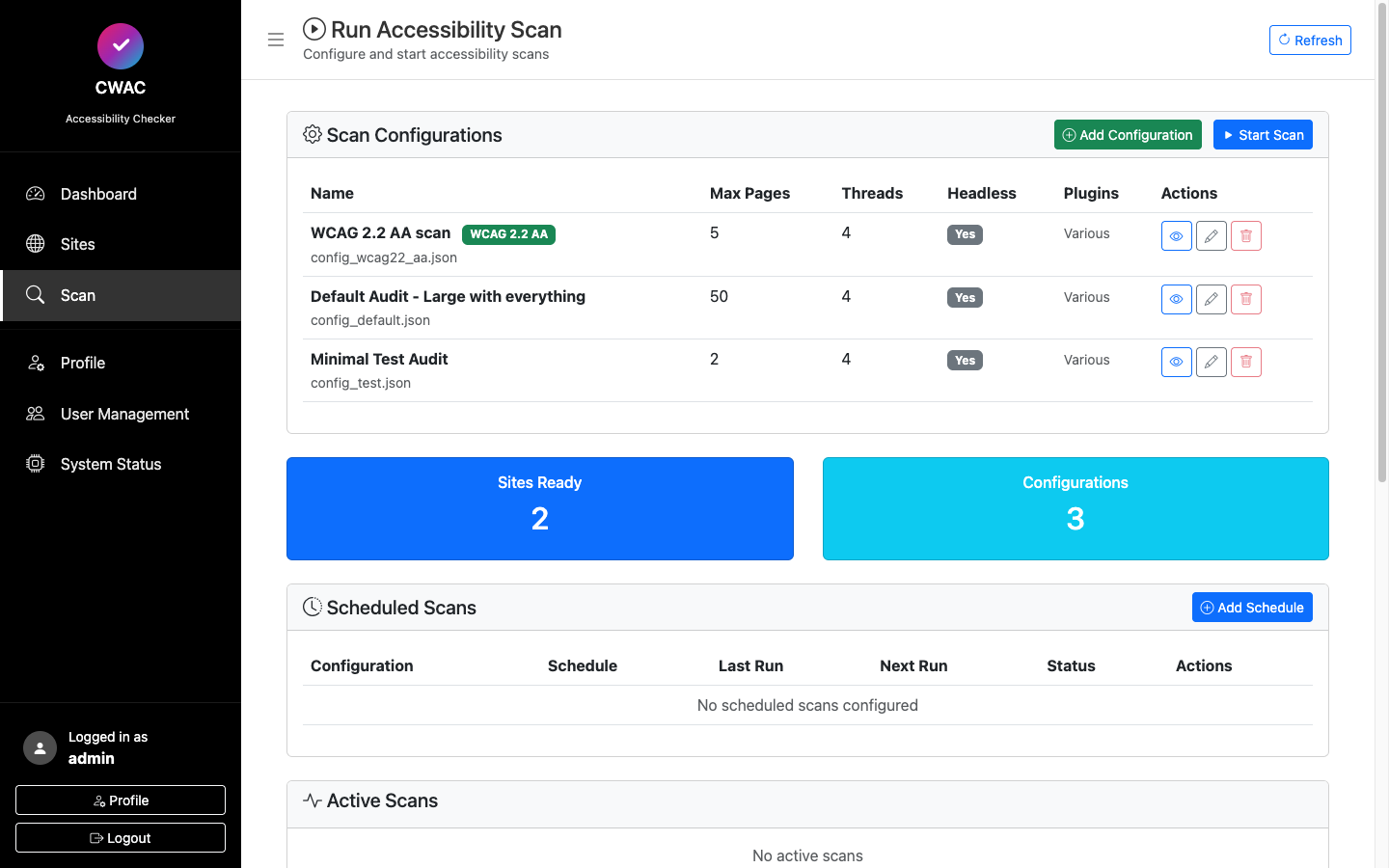
    Named configurations control page limits, thread counts, headless mode and which audit plugins run — from quick smoke tests to full-site audits.

  • Scheduling & history

    Schedule recurring scans and keep full run history, so compliance is measured continuously rather than as a one-off snapshot. Live progress tracking shows running scans accurately through to completion.

  • Scoring & trends

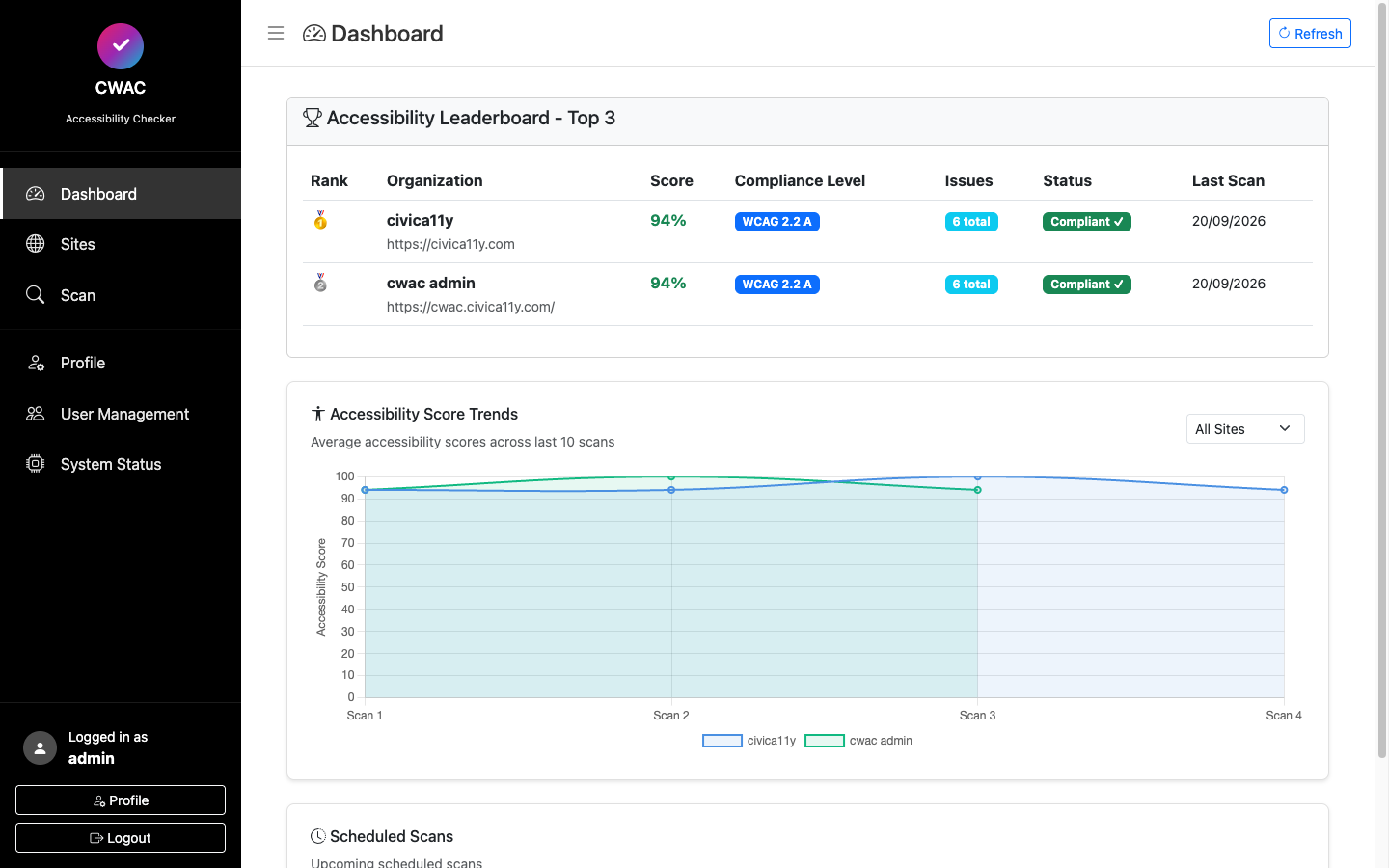
    Per-site accessibility scores, a cross-site leaderboard, WCAG conformance badges and trend charts over the last runs.

  • Exports & reporting

    Results written as CSV and Parquet for BI tooling, with per-site and bulk report downloads straight from the UI.

  • Users & system health

    Role-based user management, secure session auth, and a system status page for scanner, browser and service health.

  • Security & privacy

    TOTP two-factor authentication with recovery codes, opt-in cookie consent and a privacy policy — supporting GDPR obligations on both the app and this site.
Screenshots

Captured from the live deployment at cwac.civica11y.com.

CWAC Admin dashboard showing the accessibility leaderboard, WCAG compliance badges and a score trend chart
Dashboard — site leaderboard, compliance levels and score trends
Run Accessibility Scan page listing named scan configurations with page limits, threads and plugin settings
Scan configurations — named audit profiles, scheduling and active runs
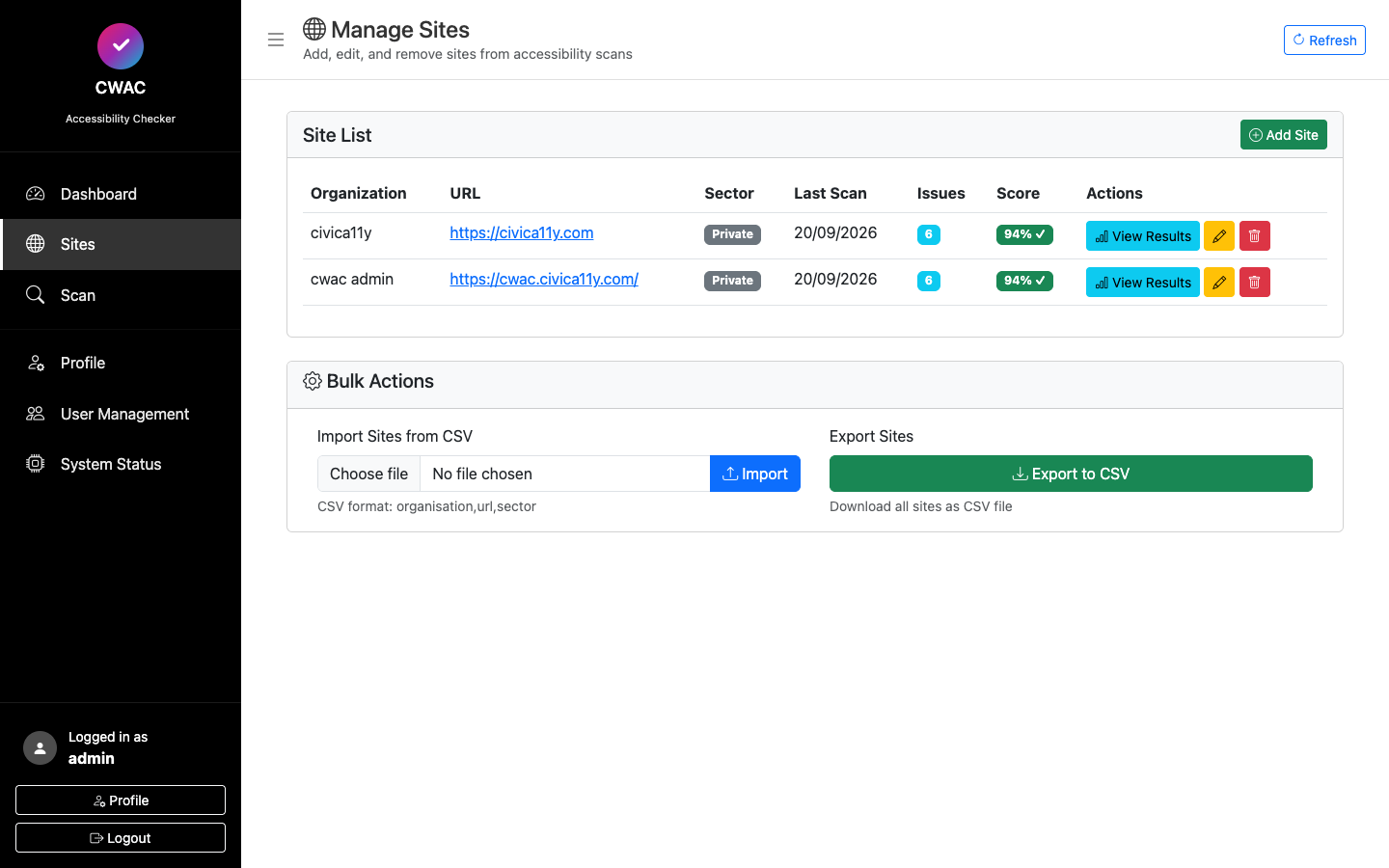
Sites page listing the registered site inventory managed by the platform
Sites — the managed site inventory
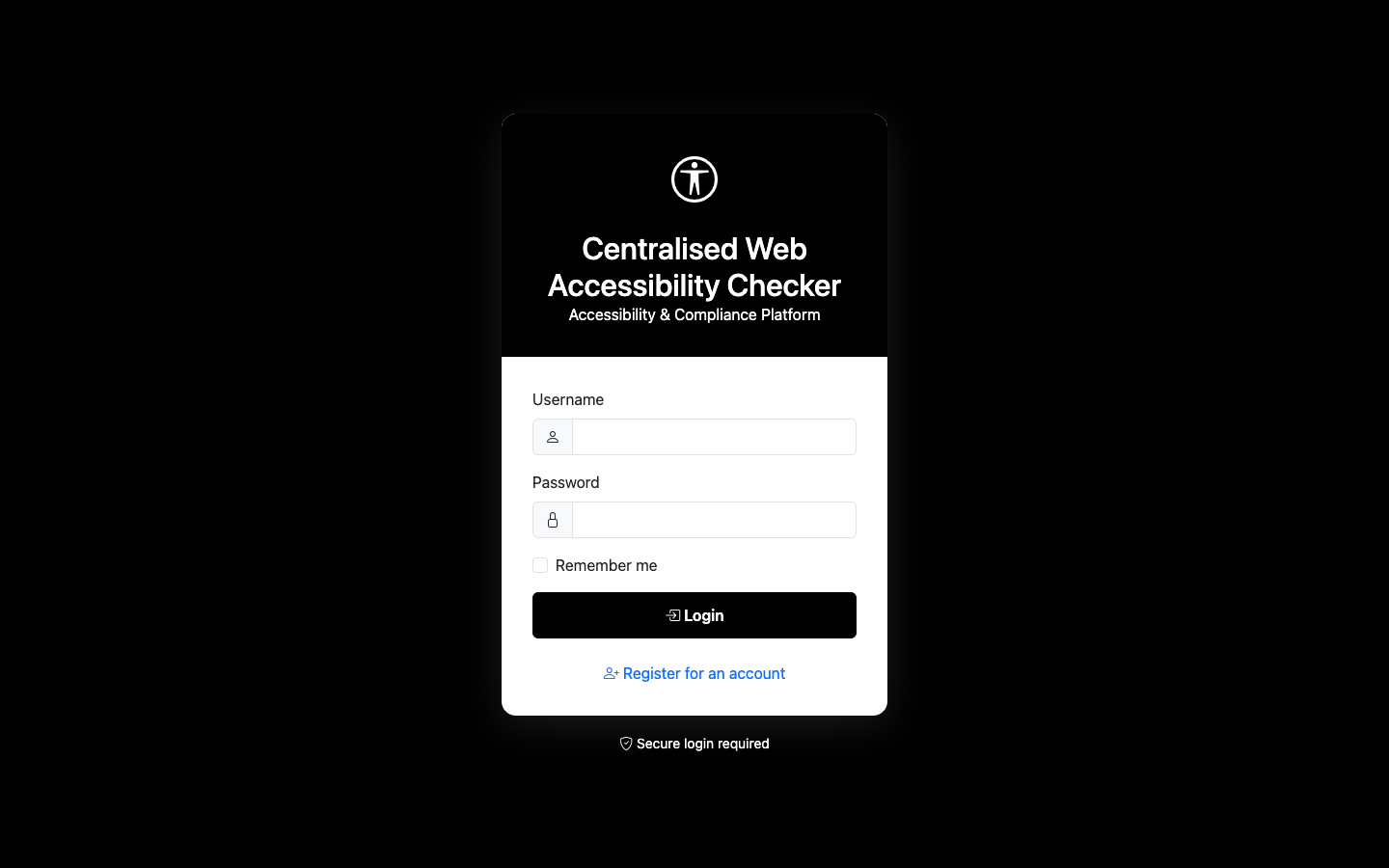
CWAC Admin sign-in page
Sign in — secure session authentication
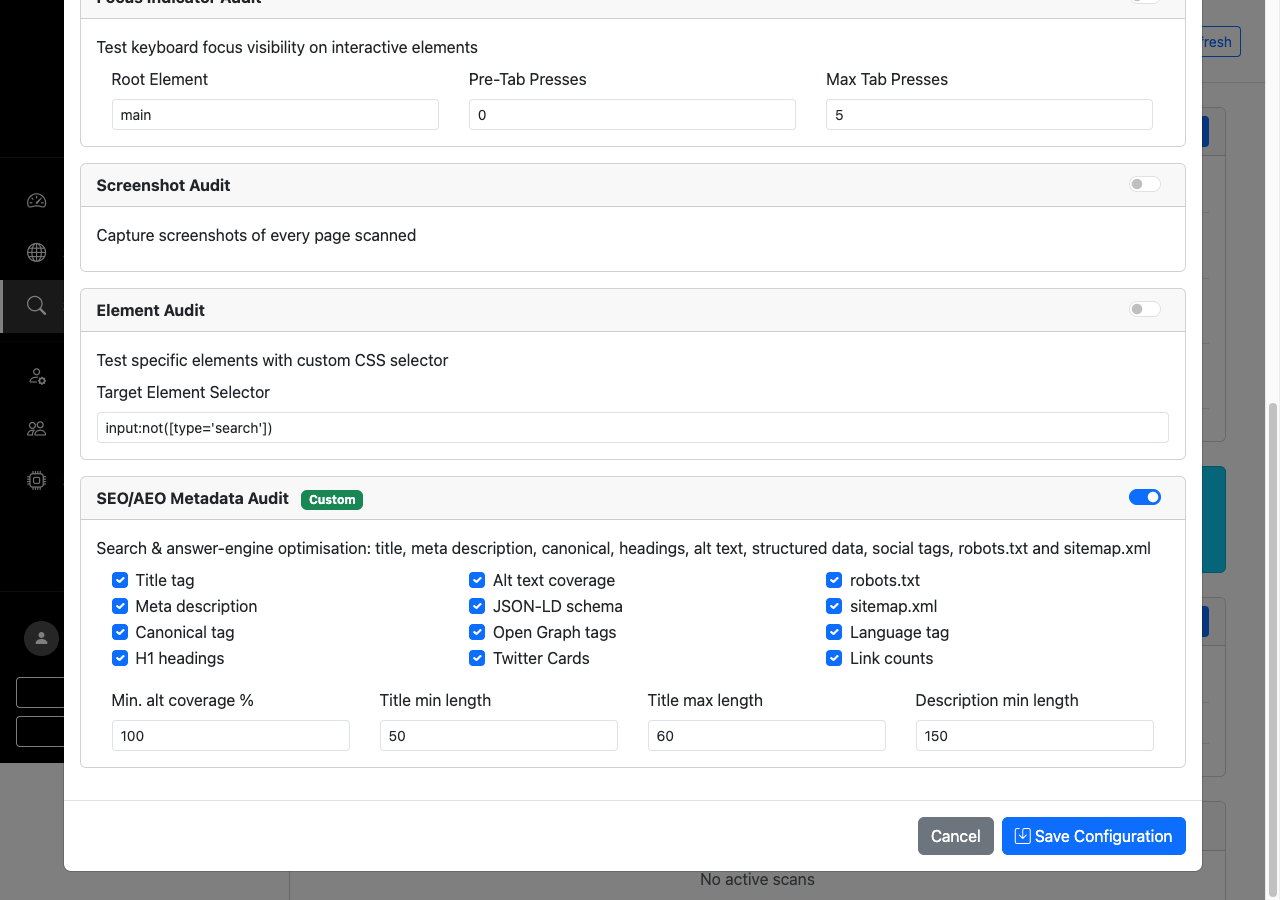
Scan configuration Audit Plugins tab showing the SEO/AEO Metadata Audit card with twelve toggleable checks and tuning fields
SEO/AEO audit config — toggleable metadata checks per scan profile
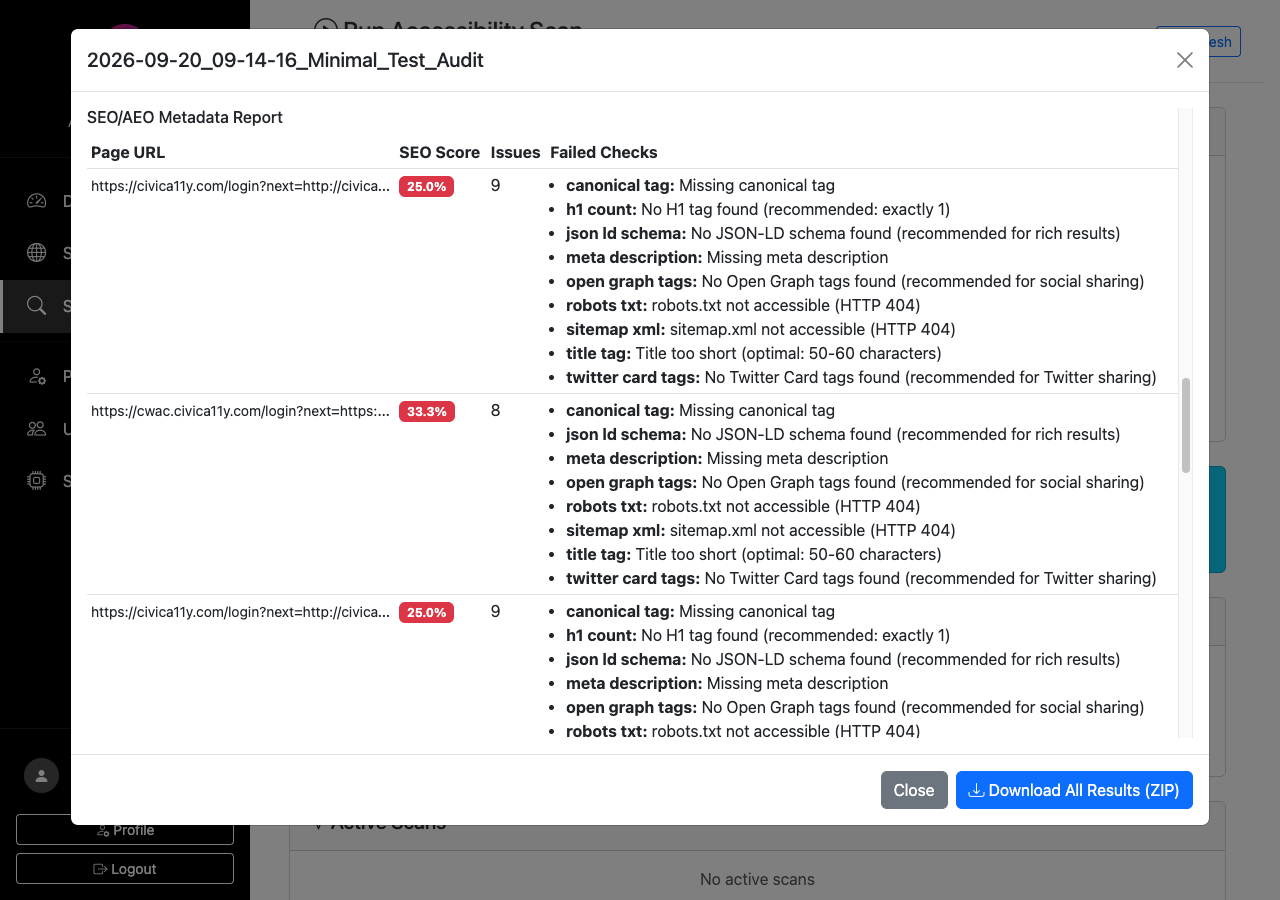
Scan result detail showing the SEO/AEO Metadata Report with per-page SEO scores, issue counts and failed checks
SEO/AEO report — per-page scores and failed-check detail
Site detail page showing the Metadata/AEO tab with an AEO score dial, score breakdown bars and schema, meta tag and recommendation sub-tabs
Metadata/AEO — per-site answer-engine score and breakdown
Profile security settings card showing Two-Factor Authentication enabled with recovery code regeneration and disable controls
Two-factor auth — TOTP enrolment with recovery codes

Code & deployment

Repository

github.com/sweddell/CWAC-ADMIN

Open source under BSD-3-Clause. The admin platform is Python/Flask served by gunicorn behind nginx; the CWAC engine (GPL-3.0, © NZ Department of Internal Affairs) is cloned separately at install time and invoked as a subprocess.

  • Python
  • Flask
  • gunicorn
  • Selenium
  • Chrome
  • axe-core
  • nginx
  • systemd

Live deployment

cwac.civica11y.com

A running instance deployed on a Linux VPS, fronted by nginx with TLS. Access is login-restricted — get in touch below if you'd like a look inside.

  • Production
  • HTTPS
  • Auth required

Credits

Get in touch

Questions about the project, interested in running it yourself, or want access to the live instance? Send a message below — it goes straight to the maintainer's inbox.